
How to Use Our Stainless Steel Calculators: Weight, Tolerance and Grade Lookup Tools
A visual guide to FX Stainless Steel calculator and lookup tools for bar, plate, pipe weight estimates, h8-h11 tolerance checks and grade equivalent review before quotation.
In This Guide
- Introduction
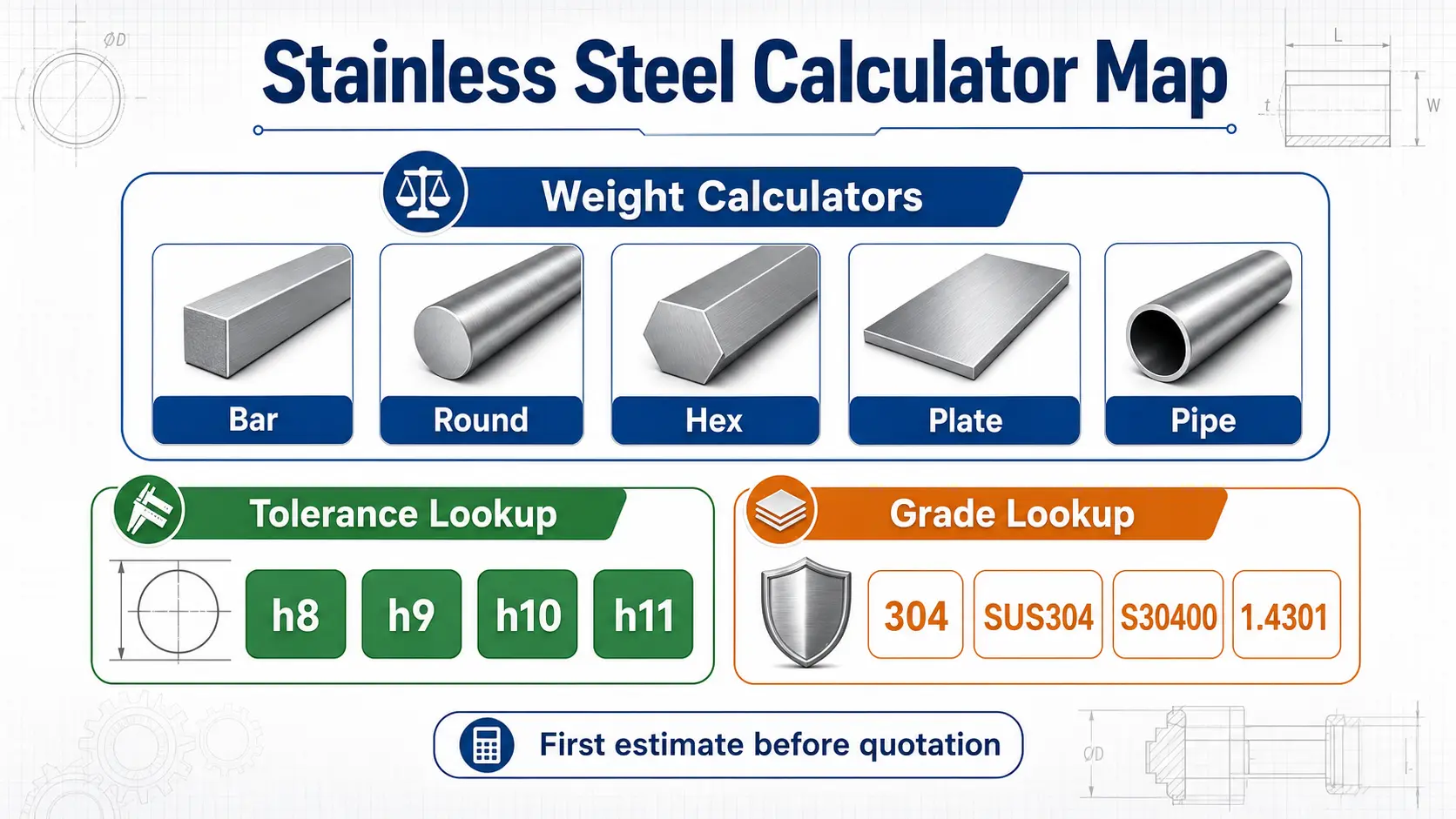
- Quick Tool Selection Table
- Bar Weight Calculator: One Tool for Round, Hex, Square and Flat Bar
- Round Bar Weight Calculator: Best for Diameter-Based Inquiries
- Hex Bar Weight Calculator: Across-Flats Size Matters
- Plate Weight Calculator: Thickness, Width and Length
- Pipe Weight Calculator: Outer Diameter and Wall Thickness
- Tolerance Lookup: h8, h9, h10 and h11 Before Precision Bar Inquiry
- Grade Equivalent Lookup: Compare 304, SUS304, 1.4301 and More
- How to Use Calculator Results in a Real Inquiry
- What the Calculators Cannot Decide Alone
Introduction
Before a stainless steel buyer sends an inquiry, there are usually three practical questions to clear up: how heavy is the material, what tolerance wording should be used, and whether the grade name matches the drawing or purchase order.
That is why the FX Stainless Steel resource library includes several simple tools. They do not replace a final quotation, MTC review or production confirmation. But they help buyers prepare a cleaner request before speaking with a supplier.
Use this guide as a visual map for the calculator pages. If you already know which tool you need, open the stainless steel resources page. If you are not sure, the sections below explain what each tool does and what information to prepare.
Quick Tool Selection Table
| Buyer need | Best tool | Main inputs | Open the tool |
|---|---|---|---|
| Estimate round, hex, square or flat bar weight | Bar Weight Calculator | Shape, grade density, size, length, quantity | Open bar calculator |
| Estimate only round bar weight | Round Bar Weight Calculator | Grade, diameter, length, quantity | Open round bar calculator |
| Estimate hex bar weight | Hex Bar Weight Calculator | Grade, across-flats size, length, quantity | Open hex bar calculator |
| Estimate sheet or plate weight | Plate Weight Calculator | Grade, thickness, width, length, quantity | Open plate calculator |
| Estimate pipe weight | Pipe Weight Calculator | Grade, outer diameter, wall thickness, length, quantity | Open pipe calculator |
| Check h8 / h9 / h10 / h11 tolerance range | Tolerance Lookup | Nominal diameter and tolerance class | Open tolerance lookup |
| Compare stainless grade names | Grade Equivalent Lookup | Grade name such as 304, SUS304 or 1.4301 | Open grade lookup |
The fastest path is simple: choose the tool by product form first, then add the grade, dimensions and quantity.
Bar Weight Calculator: One Tool for Round, Hex, Square and Flat Bar
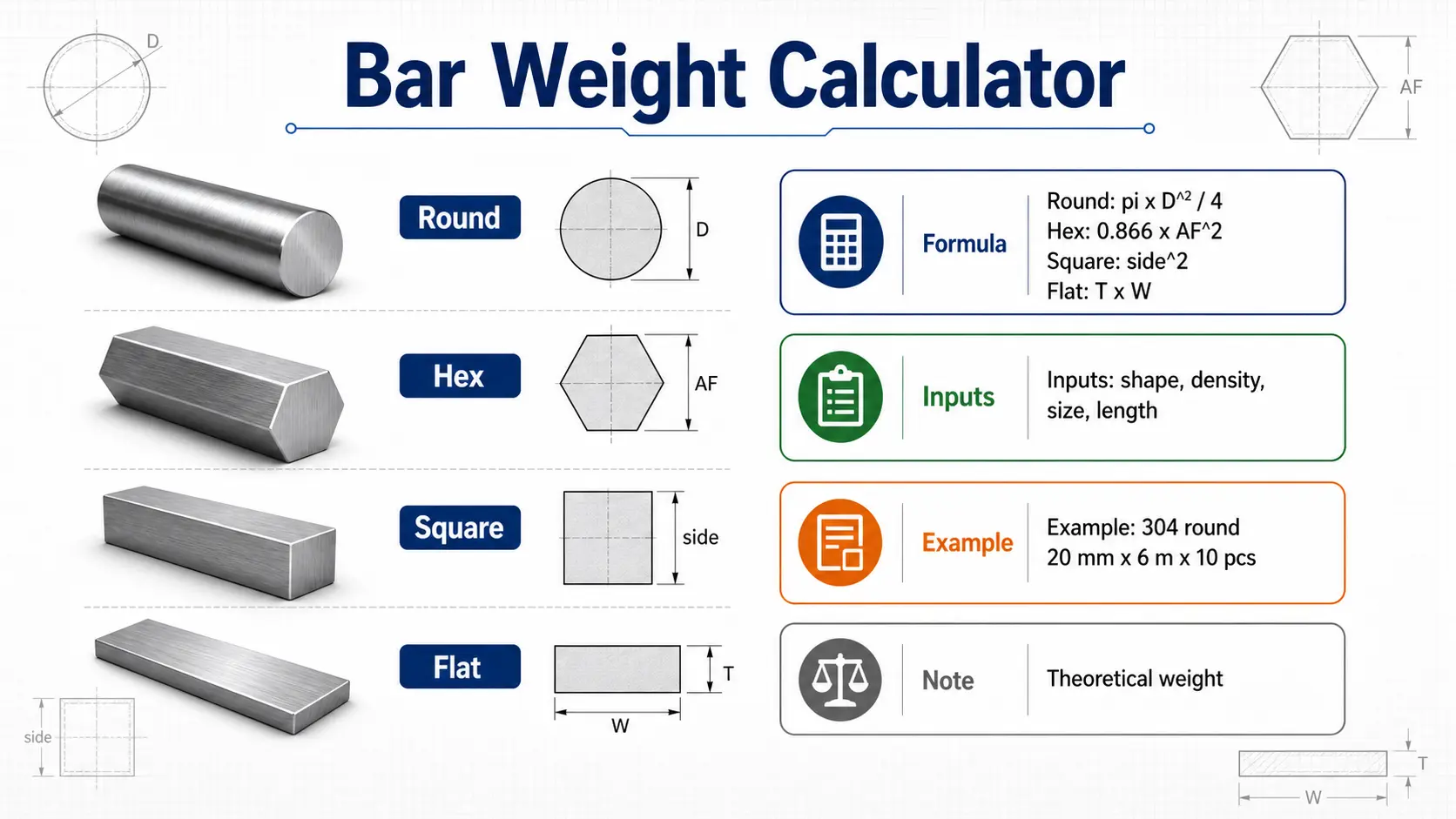
The stainless steel bar weight calculator is the main tool for bar buyers because it supports round, hex, square and flat stainless steel bar in one place. This is useful when a drawing set includes more than one shape, or when a workshop is comparing whether a round bar, hex bar or flat bar is the cleaner starting material.
The calculator asks for the bar shape, grade density, calculation mode and dimensions. For round bar, the key size is diameter. For hex bar, it is across-flats size. For square bar, it is side length. For flat bar, it is thickness and width.
The formula path is:
| Shape | Area basis | What the buyer should enter carefully |
|---|---|---|
| Round bar | Area = pi x diameter^2 / 4 | Finished or quoted diameter in millimeters |
| Hex bar | Area = 0.866025 x across-flats^2 | Across-flats size, not corner-to-corner size |
| Square bar | Area = side length^2 | Side length in millimeters |
| Flat bar | Area = thickness x width | Finished thickness and width in millimeters |
For example, if a buyer wants 304 round bar, 20 mm diameter, 6 m length and 10 pieces, the calculator gives a first theoretical weight estimate. That number is useful for freight planning and quotation discussion, but the final shipment weight can still change with tolerance, cutting loss and production route.
Round Bar Weight Calculator: Best for Diameter-Based Inquiries
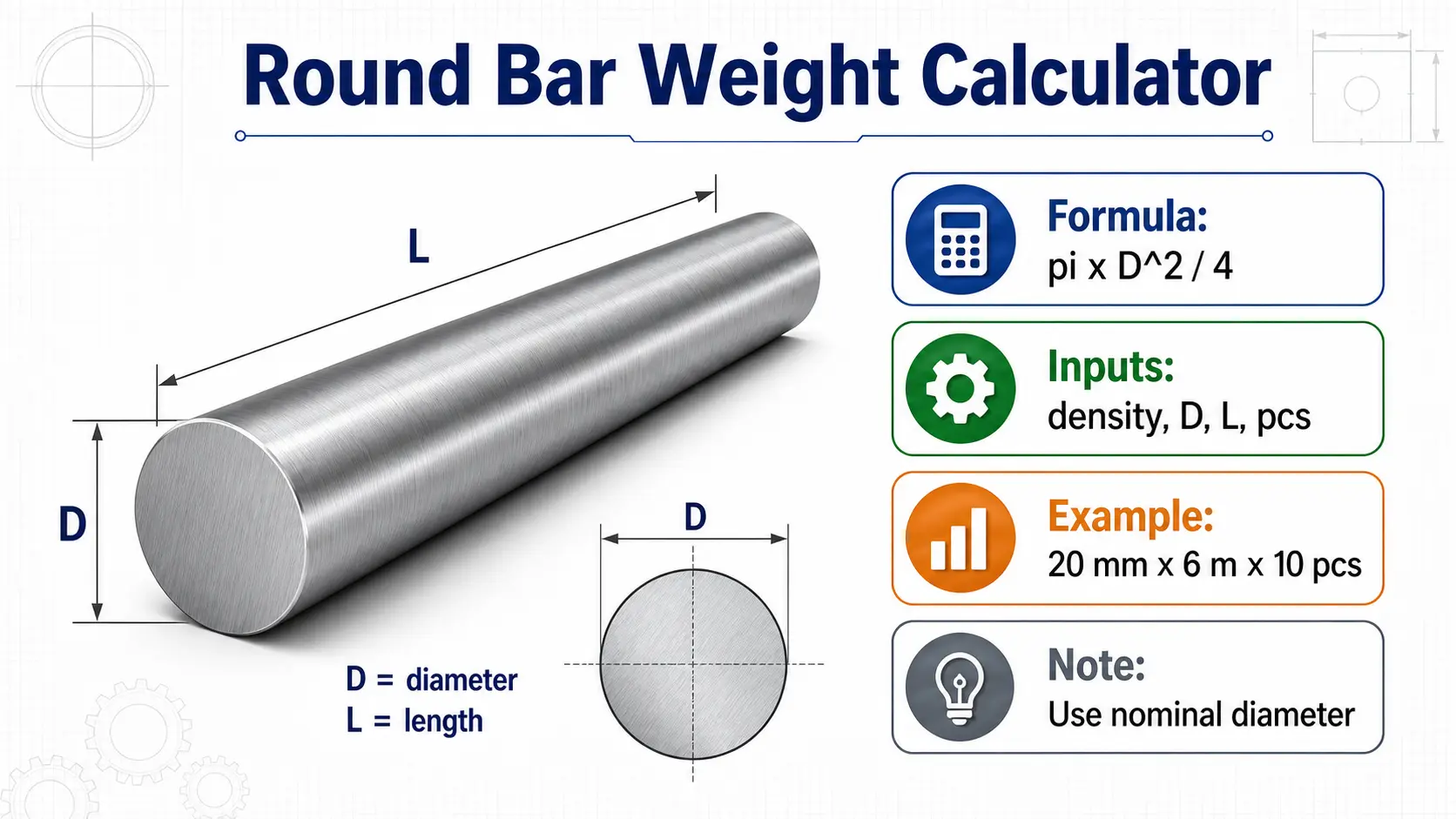
The round bar weight calculator is a cleaner option when the buyer only needs round bar. Instead of choosing a shape, the tool focuses on grade, diameter, length and quantity.
This is practical for CNC turning, shafts, fastener blanks, connector parts and general round bar sourcing. A buyer can quickly estimate how many kilograms are involved before sending a quote request.
Use this tool when the inquiry wording looks like this:
- 304 stainless steel round bar, diameter 20 mm, 6 m length, 10 pieces
- 316L round bar, diameter 35 mm, cut length required, trial order
- 303 round bar, h9 tolerance, CNC turning application
The important detail is the diameter. If the drawing includes tolerance such as h9 or h10, use the nominal diameter for weight estimation, then check tolerance separately with the tolerance lookup tool.
Hex Bar Weight Calculator: Across-Flats Size Matters
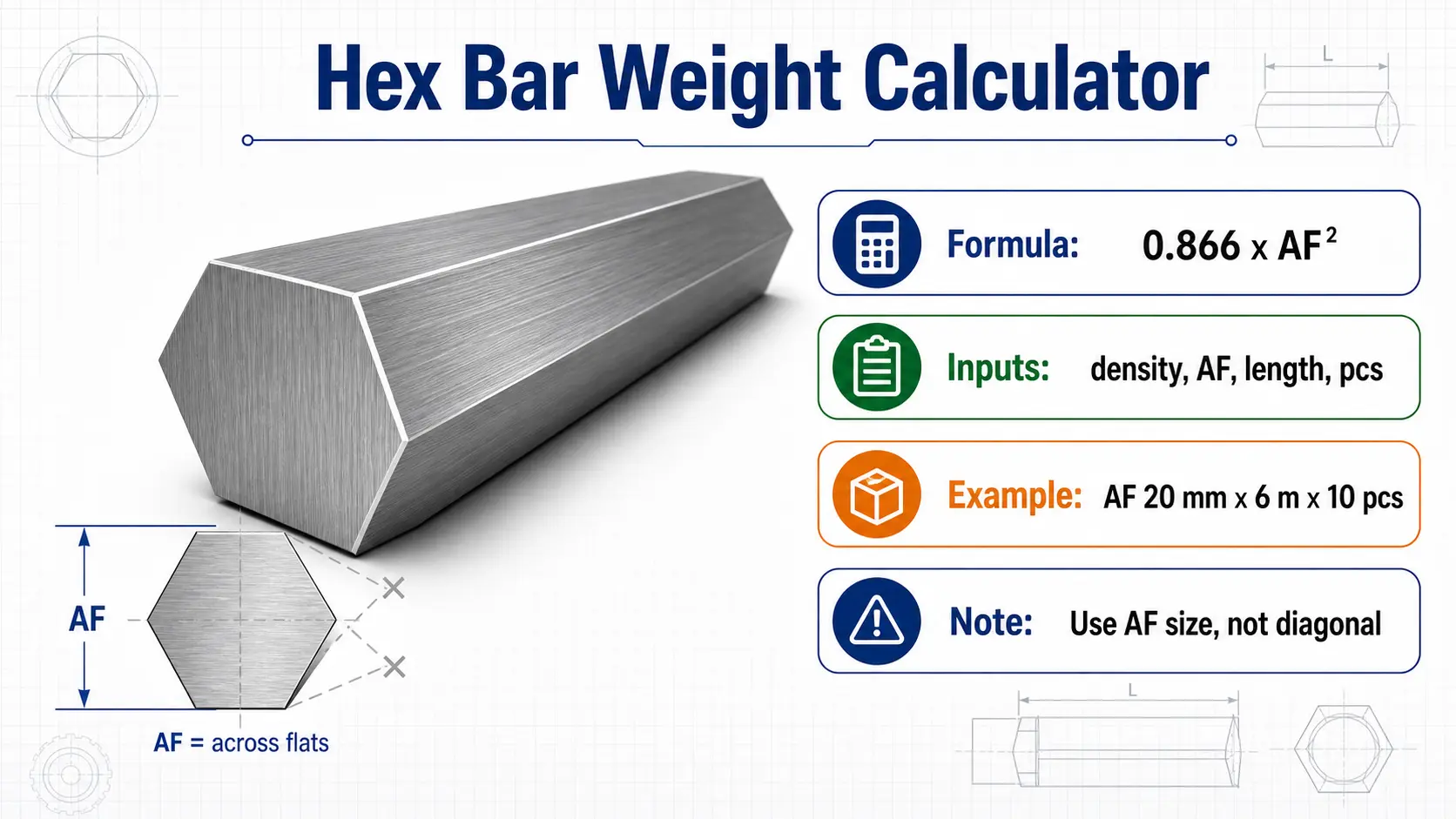
The hex bar weight calculator is built for one common buyer mistake: using the wrong hexagon size. Hex bar is normally quoted by across-flats size, not corner-to-corner distance.
For example, a 20 mm stainless steel hex bar usually means 20 mm across flats. The theoretical area is calculated as:
| Item | Formula or note |
|---|---|
| Hex bar area | 0.866025 x across-flats size^2 |
| Weight basis | Area x density x length |
| Size note | Use AF size, not diagonal size |
This is useful for 303 hex bar and 304 hex bar used in CNC machining, fasteners, nuts, fittings and components where hex stock can reduce extra milling.
If the buyer is not sure whether the drawing shows AF size or diagonal size, confirm that point before quotation. A small size wording mistake can create a large weight and machining difference.
Plate Weight Calculator: Thickness, Width and Length
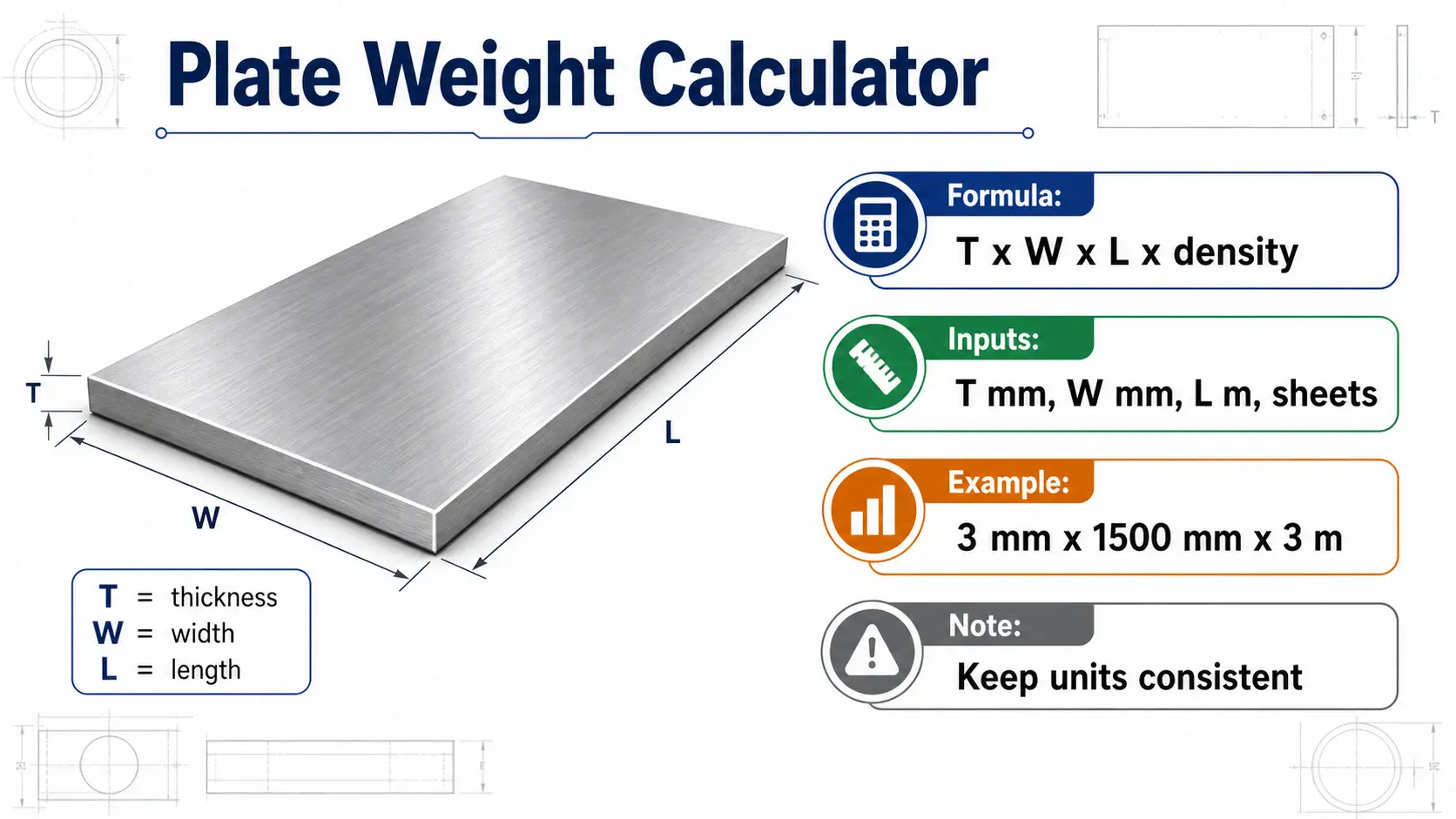
The stainless steel plate weight calculator is for rectangular sheet and plate. It uses thickness, width, length, grade density and quantity.
For sheet and plate buyers, the key point is unit discipline. The tool uses millimeters for thickness and width, and meters for length. A common example is 304 stainless steel plate, 3 mm thickness, 1500 mm width, 3 m length and 10 sheets.
The practical formula path is:
| Step | Meaning |
|---|---|
| Thickness x width | Builds the cross-section basis |
| Thickness x width x length | Builds volume |
| Volume x density | Gives theoretical weight |
Actual plate shipment weight can vary because stainless steel plate thickness tolerance is not always the same as the nominal thickness. Surface route, cutting loss and sheet edge condition can also affect final weight.
Use the calculator result as a first estimate, then include grade, thickness, width, length, quantity, surface finish and destination in the quotation request.
Pipe Weight Calculator: Outer Diameter and Wall Thickness
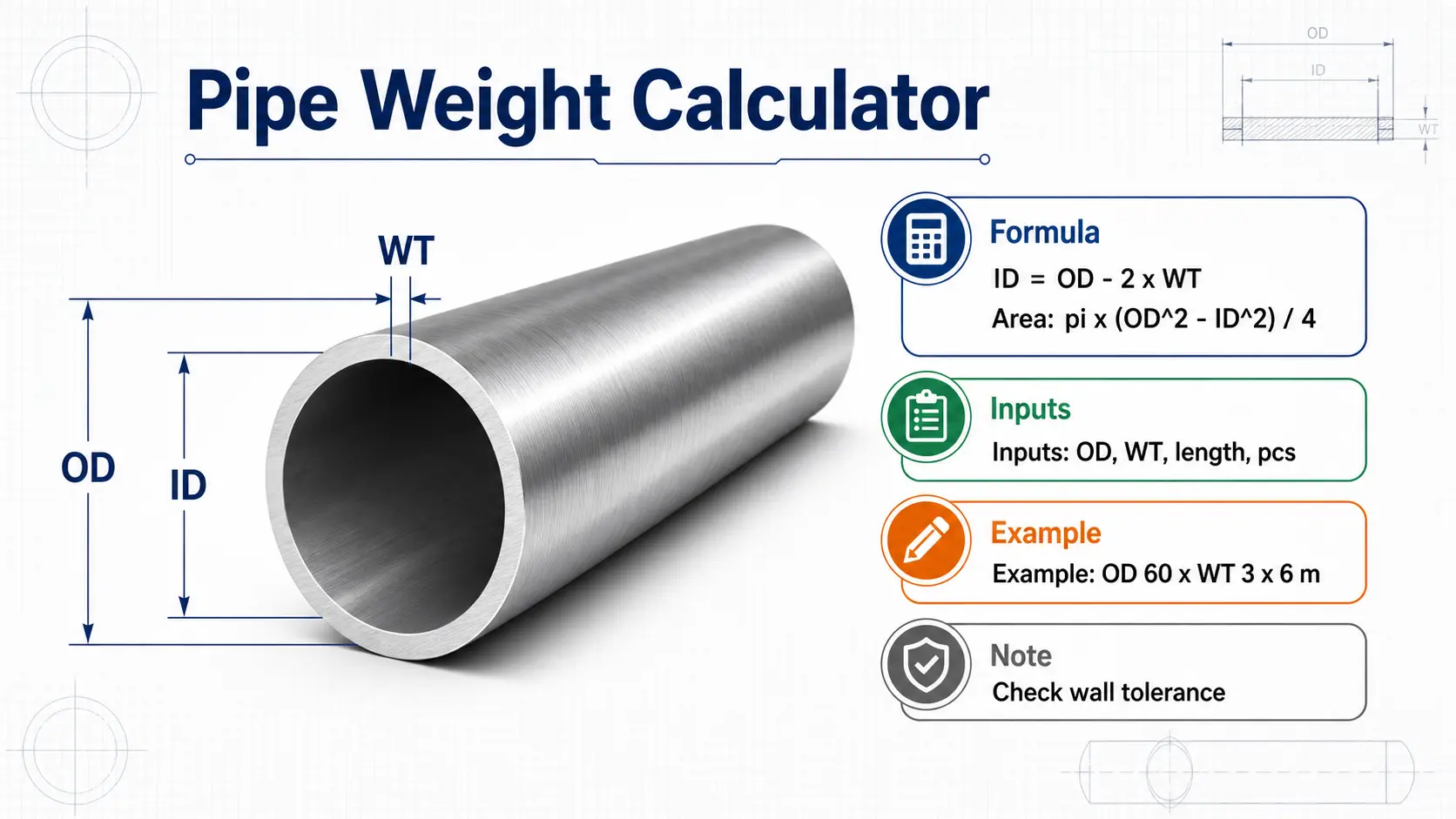
The stainless steel pipe weight calculator is for round pipe when the buyer knows the outer diameter and wall thickness. It can be used as a first estimate for welded or seamless pipe because the weight logic is based on the pipe cross-section.
The calculator derives inner diameter from outer diameter and wall thickness:
| Item | Formula or note |
|---|---|
| Inner diameter | Outer diameter - 2 x wall thickness |
| Pipe area | pi x (OD^2 - ID^2) / 4 |
| Weight | Area x density x length |
For example, 304 stainless steel pipe with 60 mm outer diameter, 3 mm wall thickness, 6 m length and 10 pieces can be estimated before the buyer asks for a shipping or project quote.
Actual pipe weight can differ because of wall thickness tolerance, ovality, end cutting and production variation. For quotation, also send pipe type, grade, OD, wall thickness, length, standard, surface and destination.
Tolerance Lookup: h8, h9, h10 and h11 Before Precision Bar Inquiry
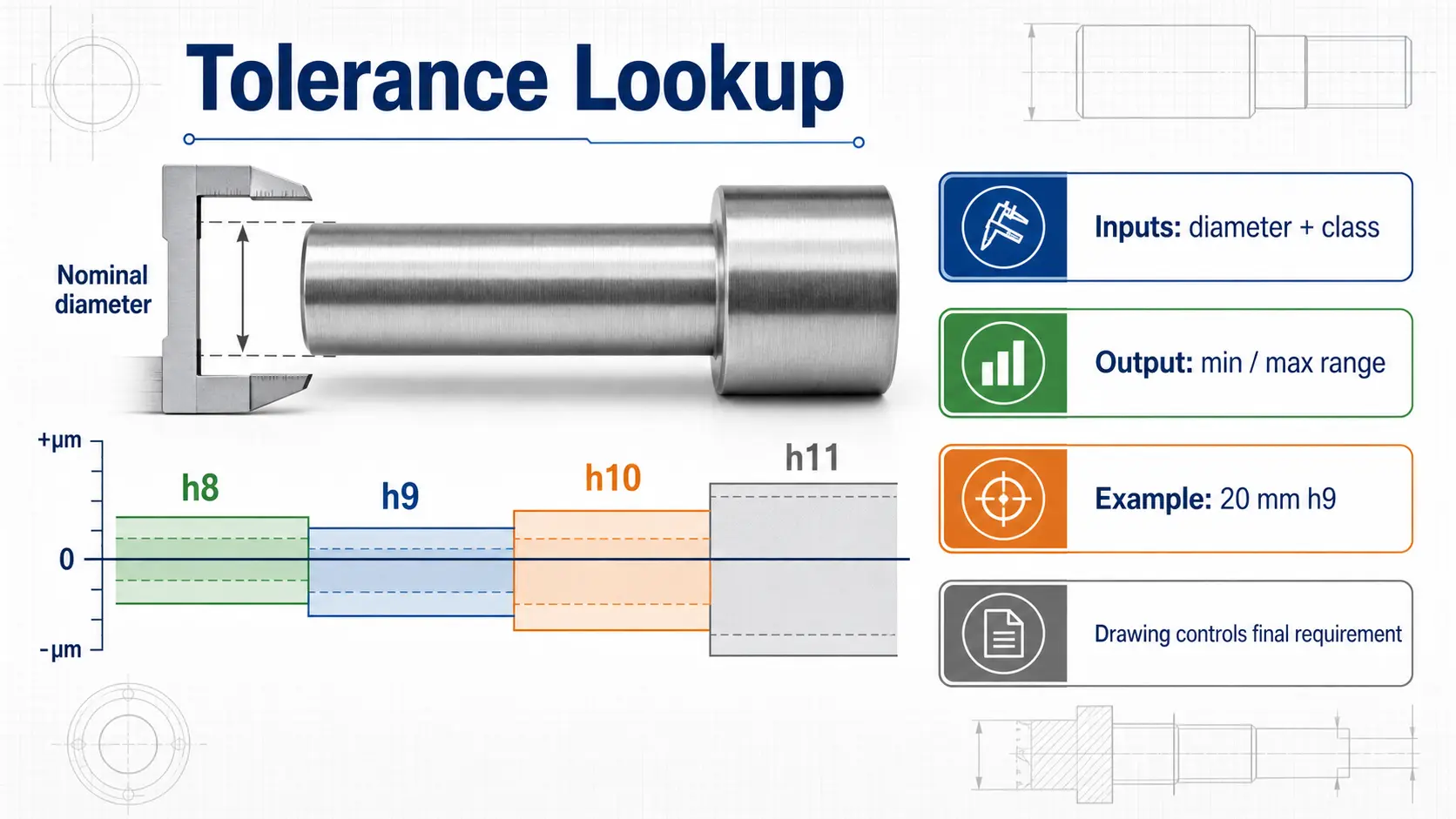
The h8 / h9 / h10 / h11 tolerance lookup helps buyers check a quick tolerance range by nominal diameter. It is especially useful for cold drawn bar, peeled bar, centerless ground bar and CNC feeding applications.
This tool is not a substitute for a drawing. It is a communication helper. If a buyer says only "20 mm round bar", the supplier may quote a normal commercial tolerance. If the buyer says "20 mm round bar, h9 tolerance", the supply route and processing expectation become much clearer.
Use the lookup when you need to prepare wording like:
- 304 stainless steel round bar, diameter 20 mm, h9 tolerance
- 303 peeled round bar, h10 tolerance, CNC turning
- 316L centerless ground bar, h8 tolerance, shaft application
For final orders, the drawing, standard and end-user acceptance should still control the requirement.
Grade Equivalent Lookup: Compare 304, SUS304, 1.4301 and More
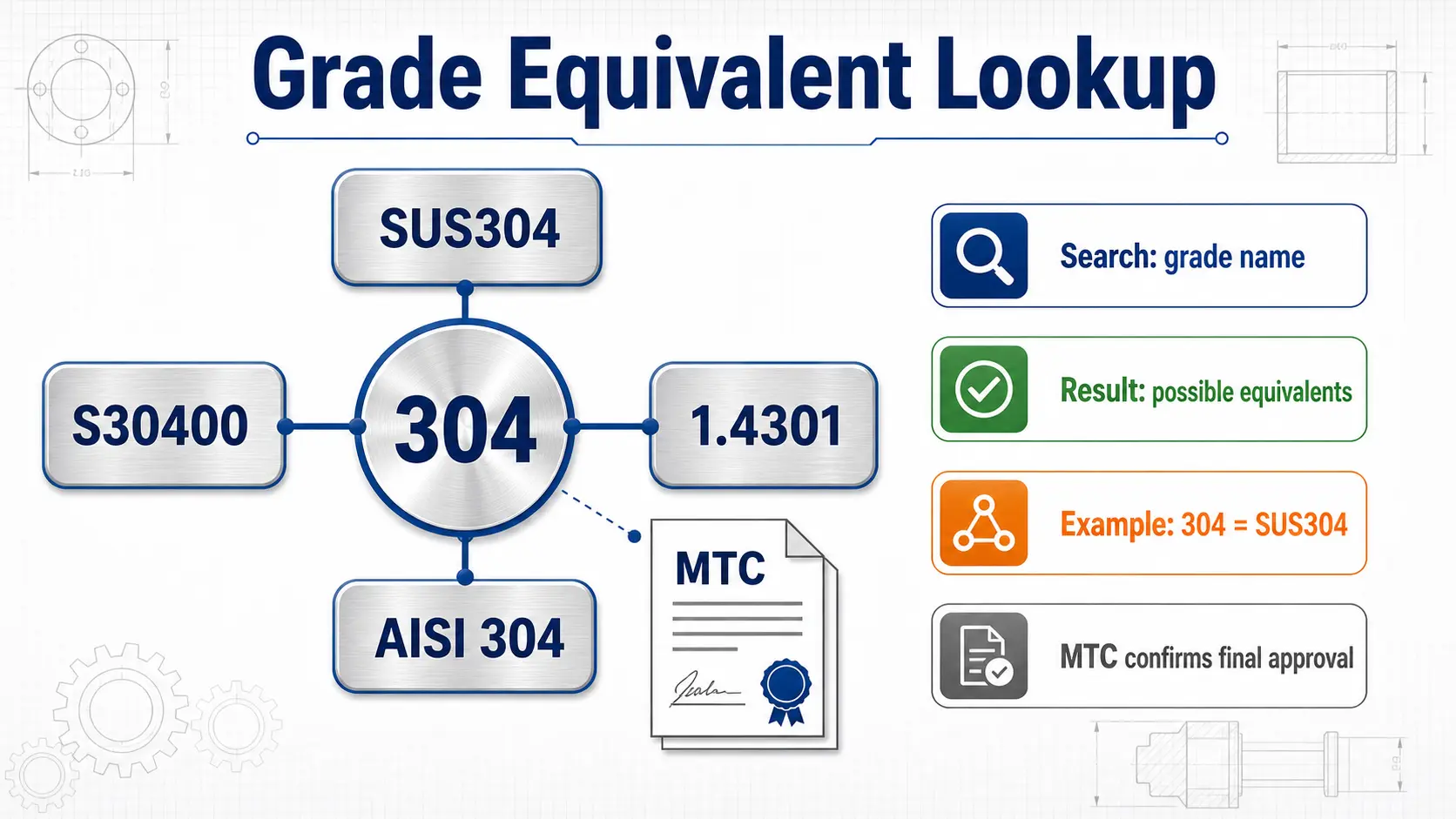
The stainless steel grade equivalent lookup helps compare common grade names across ASTM / AISI, UNS, EN and JIS wording. This is useful when the drawing says SUS304, the buyer email says 304, and the certificate or supplier stock list uses another naming system.
For example, a buyer may need to connect:
| Common buying name | Related naming language buyers often check |
|---|---|
| 304 | SUS304, AISI 304, UNS S30400, EN 1.4301 |
| 316L | SUS316L, AISI 316L, UNS S31603, EN 1.4404 |
| 303 | SUS303, AISI 303, UNS S30300 |
The tool is useful for first review, but it does not approve material by itself. Final acceptance should check the purchase order, drawing, MTC, heat number, standard reference and any customer-specific requirement.
How to Use Calculator Results in a Real Inquiry
Calculator tools are most useful when they lead to a clearer inquiry. Instead of sending only "please quote stainless steel bar", send enough information for the supplier to check stock, processing route and documents.
A practical inquiry can look like this:
304 stainless steel round bar, diameter 20 mm, h9 tolerance, 6 m length, about 10 pieces, MTC required, destination Vietnam. Calculator estimate is about 150 kg. Please confirm stock route, finish and quotation.
For plate:
304 stainless steel plate, 3 mm x 1500 mm x 3000 mm, 10 sheets, 2B surface, MTC required, destination Thailand. Calculator estimate is about 1070 kg. Please confirm actual shipment weight and packing.
For pipe:
304 stainless steel pipe, OD 60 mm, wall thickness 3 mm, 6 m length, 10 pieces, standard to confirm, destination Singapore. Calculator estimate is about 256 kg. Please review welded or seamless supply options.
These examples are not promises of final weight. They show how the calculator result can make the first conversation easier.
What the Calculators Cannot Decide Alone
A calculator can estimate weight, but it cannot judge every purchasing risk. Before confirming an order, buyers should still check these points:
- Grade and accepted standard
- MTC and heat number traceability
- Product form, finish and tolerance
- Cutting loss and actual packing weight
- Surface condition and inspection requirement
- Destination, document wording and delivery schedule
For example, 303 stainless steel bar may be selected for machining, but the real cutting behavior also depends on sulfur control, finish route and batch traceability. 316L stainless steel may be selected for corrosion resistance, but the application environment still matters. A calculator is the beginning of a cleaner technical conversation, not the end of the decision.
Conclusion
The best stainless steel tool is the one that matches the buyer's product form and question.
Use the bar calculator for round, hex, square and flat bar. Use the dedicated round or hex calculator when the shape is already fixed. Use the plate calculator for rectangular sheet and plate. Use the pipe calculator when OD and wall thickness are known. Use tolerance lookup for precision bar wording, and grade equivalent lookup when drawings, certificates and purchase orders use different grade names.
If you need help after checking the tools, send grade, shape, size, tolerance, finish, quantity and destination through the contact page. FX Stainless Steel can help review the practical supply path before quotation.
Frequently Asked Questions (FAQ)
Q. Which stainless steel calculator should I use first?
A. Start with the product form. Use the bar calculator for round, hex, square and flat bar, the plate calculator for rectangular sheet or plate, and the pipe calculator for round pipe with known outer diameter and wall thickness.
Q. Why can actual shipment weight differ from calculator weight?
A. The result is theoretical. Actual shipment weight can change because of tolerance, cutting loss, corner radius, surface route, pipe ovality, packing and normal production variation.
Q. Can calculator results be used for quotation?
A. Yes, they are useful for a first estimate. For quotation, also send grade, product form, dimensions, tolerance, finish, quantity, standard if required and destination.
Q. What density should I choose for stainless steel weight calculation?
A. Choose the closest grade density shown in the tool. Common options include 304 / 304L, 303, 316 / 316L, 201 and 430. If the project has a required density basis, use the project document or ask the supplier to confirm.
Q. Is grade equivalent lookup enough to approve material?
A. No. Grade lookup helps compare common names such as 304, SUS304, 1.4301 and S30400, but final approval should still check the drawing, purchase order, MTC, heat number and accepted standard.
CTA
Open the stainless steel resources page to choose a calculator, or send your grade, dimensions, tolerance, finish, quantity and destination through our stainless steel bar quote page or contact page.